
Visual Effects
Create CSS image effects with Takumi, including gradient text, masks, halftone, and dithering.
Build these effects with CSS gradients, shadows, masks, and SVG filters. Each preview is Takumi test output. The full markup of every scene is in
takumi/tests/fixtures-html.
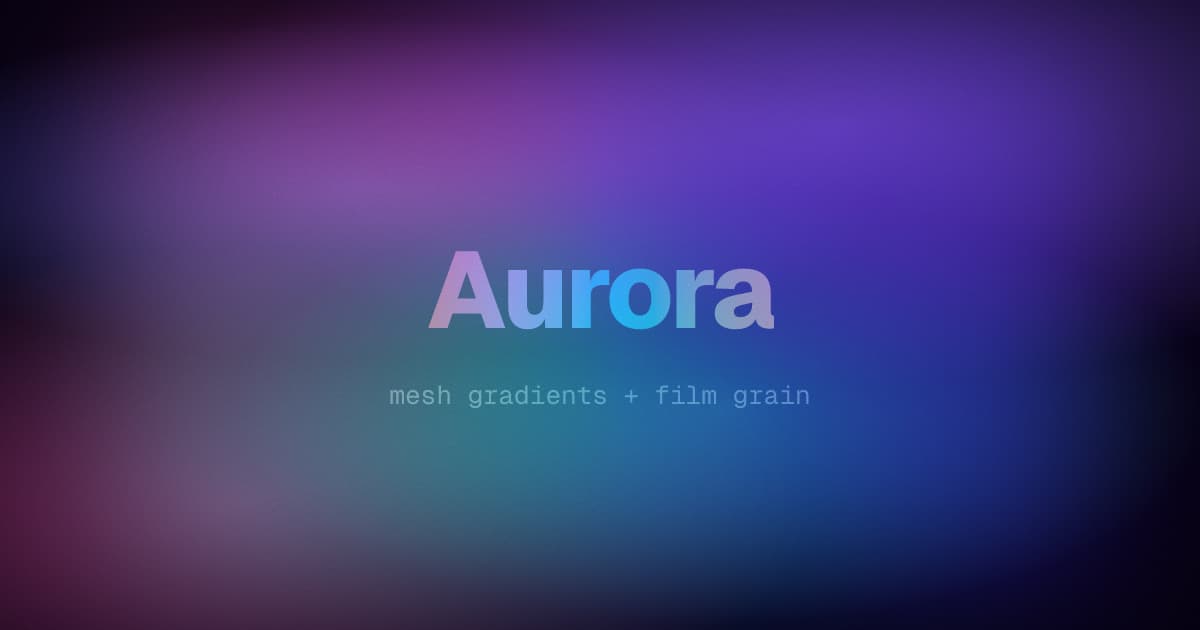
Aurora and film grain
Stack soft radial ellipses that fade out at 68% for the mesh. A blurred conic layer on top adds color drift.
background-color: #05010f;
background-image:
  radial-gradient(ellipse 80% 60% at 70% 20%, rgba(139, 92, 246, 0.55), transparent 68%),
  radial-gradient(ellipse 70% 60% at 20% 80%, rgba(236, 72, 153, 0.45), transparent 68%),
  radial-gradient(ellipse 60% 50% at 60% 65%, rgba(45, 212, 191, 0.4), transparent 68%);
The grain is a feTurbulence filter graph on an empty layer, blended with overlay. The title crosses the whole hue wheel with two stops, through in oklch longer hue:
.grain {
  filter: url("data:image/svg+xml,<filter>…feTurbulence…</filter>");
  mix-blend-mode: overlay;
}
.title {
  background-image: linear-gradient(to right in oklch longer hue, #ff5f6d, #ffc371);
  background-clip: text;
  color: transparent;
}
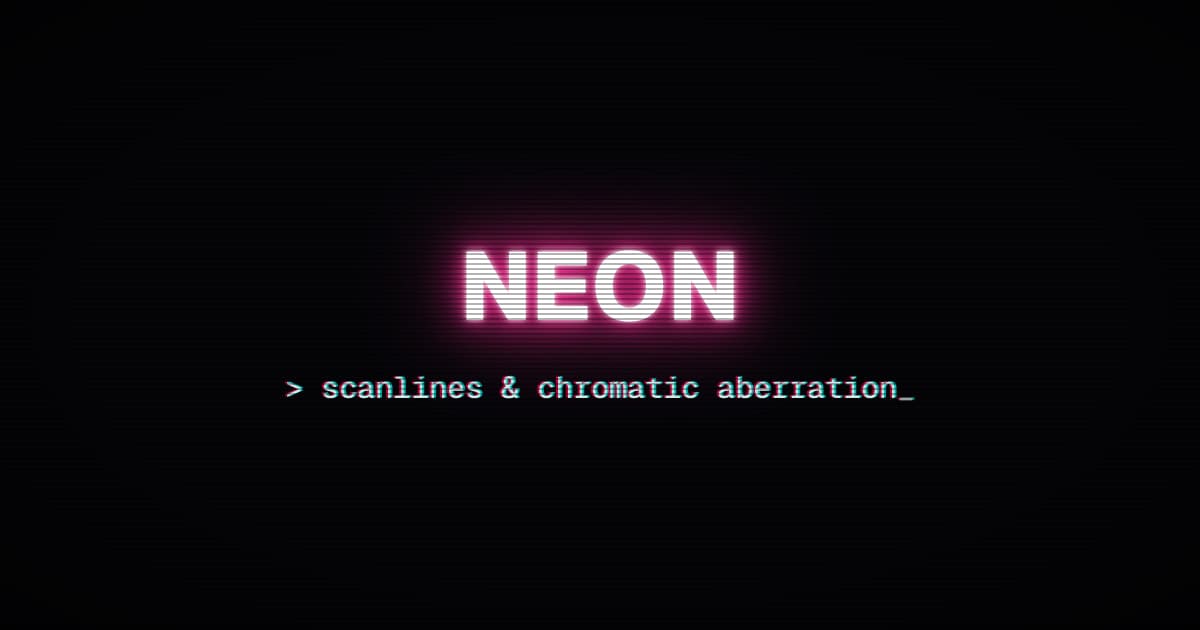
Neon CRT
- Neon: stacked
text-shadows that widen in the brand color - Chromatic aberration: two hard shadows in opposite directions
- Scanlines and vignette: gradient overlays
.neon {
  color: #fff;
  text-shadow:
    0 0 6px #fff,
    0 0 18px #ff2d95,
    0 0 42px #ff2d95,
    0 0 90px #ff2d95;
}
.chromatic {
  text-shadow:
    -2px 0 rgba(255, 0, 85, 0.7),
    2px 0 rgba(0, 255, 255, 0.7);
}
.scanlines {
  background-image: repeating-linear-gradient(
    180deg,
    rgba(0, 0, 0, 0) 0px,
    rgba(0, 0, 0, 0) 3px,
    rgba(0, 0, 0, 0.3) 3px,
    rgba(0, 0, 0, 0.3) 5px
  );
}
.vignette {
  background-image: radial-gradient(ellipse at 50% 50%, transparent 55%, rgba(0, 0, 0, 0.6) 100%);
}
Chrome type
Clip a gradient with hard color stops to the glyphs for a metallic finish. feSpecularLighting adds the bevel rim. The starburst behind is one repeating-conic-gradient:
.chrome {
  background-image: linear-gradient(
    180deg,
    #0b1020 0%,
    #34304b 14%,
    #c3b9d5 26%,
    #ffffff 34%,
    #5a6cae 48%,
    #ffffff 56%,
    #e8ecff 84%,
    #c3b9d5 90%,
    #211c35 100%
  );
  background-clip: text;
  color: transparent;
  filter: url("data:image/svg+xml,<filter>…</filter>");
}
.stage {
  background-image: repeating-conic-gradient(
    from 0deg at 50% 130%,
    rgba(94, 80, 163, 0.35) 0deg 5deg,
    rgba(11, 6, 23, 0) 5deg 10deg
  );
}<filter x="-20%" y="-20%" width="140%" height="140%">
<feGaussianBlur stdDeviation="1.4" in="SourceGraphic" result="blur" />
<feSpecularLighting surfaceScale="1.6" specularConstant="0.9" specularExponent="40"
lighting-color="#ffffff" in="blur" result="spec">
<fePointLight x="600" y="-60" z="900" />
</feSpecularLighting>
<feComposite operator="in" in="spec" in2="SourceAlpha" result="rim" />
<feMerge>
<feMergeNode in="SourceGraphic" />
<feMergeNode in="rim" />
</feMerge>
</filter>
Halftone
Build a dot screen in three steps:
- Multiply a tiled radial gradient with a tone ramp.
- Crush it with
contrast(). - Re-ink the black dots with a
lightenlayer. Setisolation: isolateon the parent.
.dots {
  background-image:
    radial-gradient(circle closest-side, #666, #fff), linear-gradient(115deg, #333, #fff);
  background-size:
    14px 14px,
    100% 100%;
  background-repeat: space, no-repeat;
  background-blend-mode: multiply;
  filter: contrast(14);
}
.ink {
  background-color: #e11d48;
  mix-blend-mode: lighten;
}
Grid hero
A hairline grid faded by mask-image, corner glows, and a card with a hard offset shadow:
.grid {
  background-image:
    linear-gradient(rgba(255, 255, 255, 0.09) 1px, transparent 1px),
    linear-gradient(90deg, rgba(255, 255, 255, 0.09) 1px, transparent 1px);
  background-size: 40px 40px;
  mask-image: radial-gradient(ellipse 70% 60% at 50% 100%, #000 60%, transparent 100%);
}
.card {
  background-color: #fdfdf7;
  border: 4px solid #111;
  box-shadow: 18px 18px 0 #22c55e;
}
Gradient text
backgroundClip: "text" fills the glyphs with the background. Make the text color transparent:
<h1
  style={{
    backgroundImage: "linear-gradient(90deg, #ff3b30, #ffcc00, #34c759, #007aff, #5856d6)",
    backgroundClip: "text",
    color: "transparent",
  }}
>
  Gradient Text
</h1>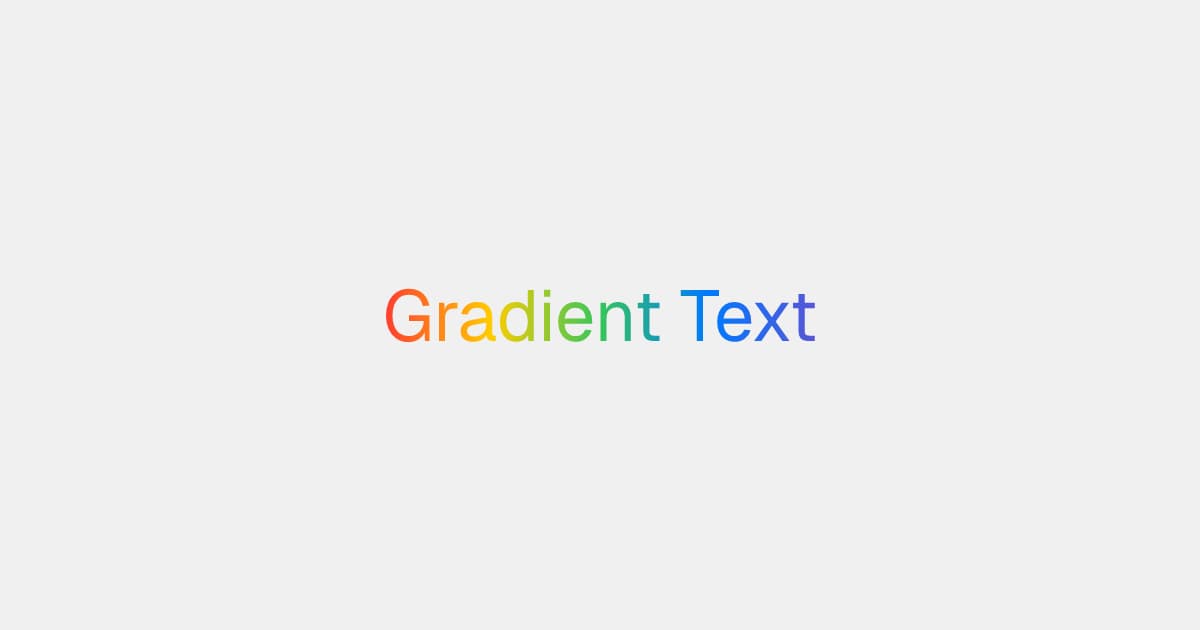
Masks
maskImage fades content through a gradient's alpha channel:
<div style={{ maskImage: "radial-gradient(circle, black 60%, transparent 100%)" }}>
  <img src={photo} style={{ width: "100%", height: "100%" }} />
</div>
Clip shapes
clipPath cuts an element to a <basic-shape>:
<div style={{ clipPath: "polygon(50% 0%, 0% 100%, 100% 100%)" }} />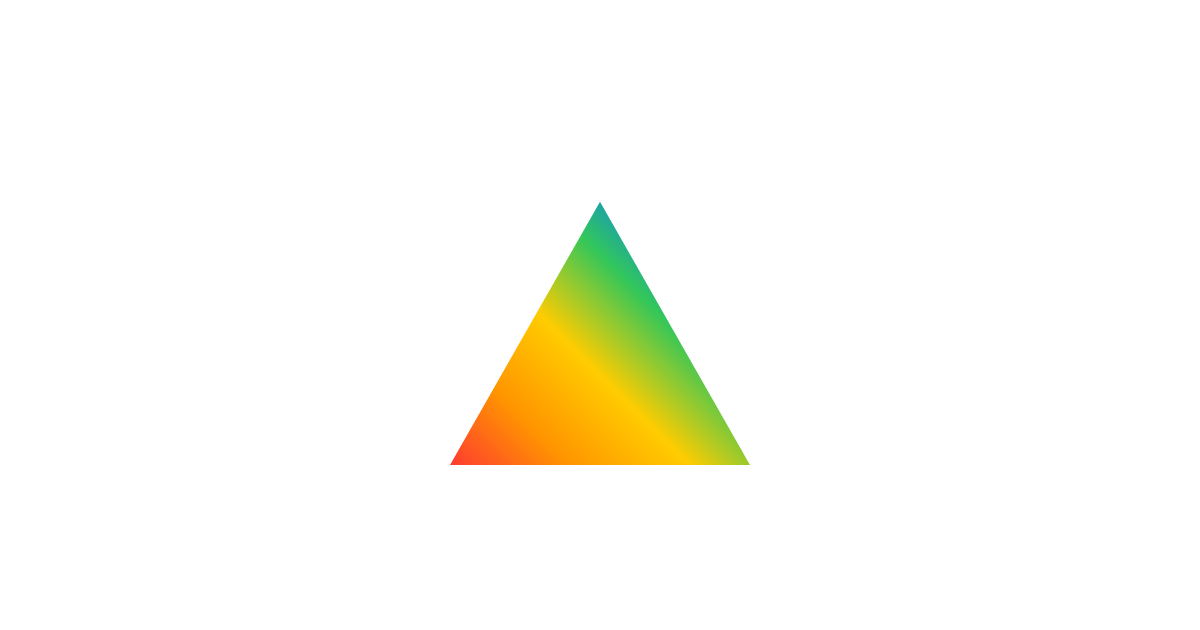
Text on a path
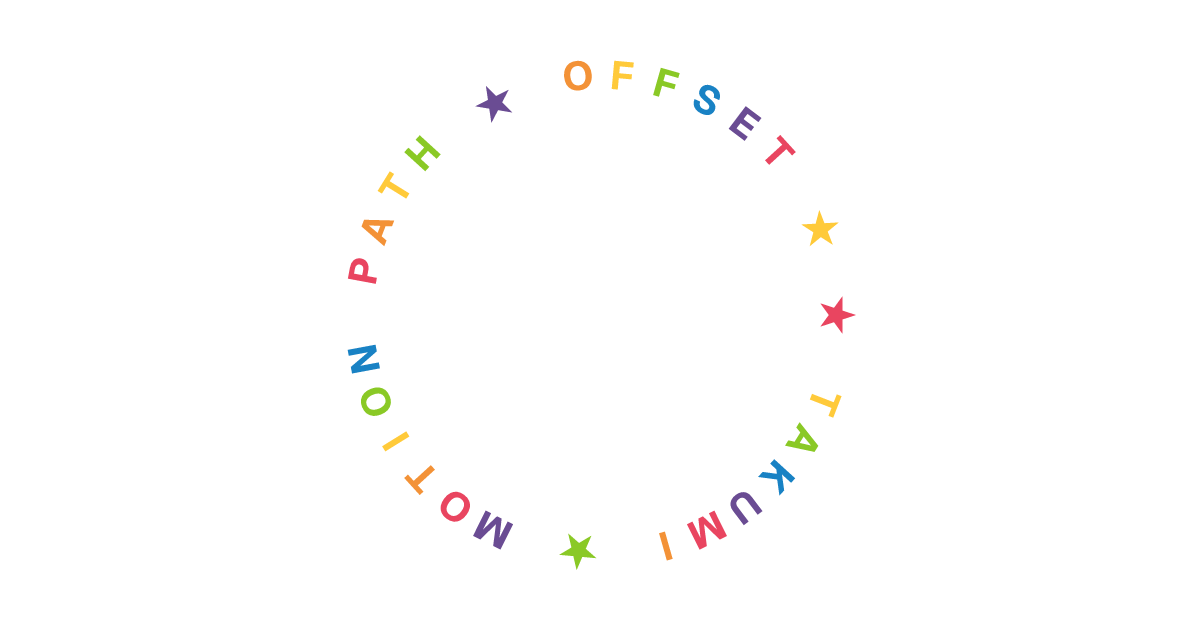
offsetPath places an element along a shape, and offsetDistance picks the spot. To set text on a circle, wrap each glyph and spread the distances:
const glyphs = [...ring].map((char, i) => (
  <div
    key={i}
    style={{
      position: "absolute",
      offsetPath: "circle(240px at 600px 315px)",
      offsetDistance: `${(i / ring.length) * 100}%`,
    }}
  >
    {char}
  </div>
));
Dithering and duotone
filter takes inline SVG filter graphs as data: URLs, next to filter functions. Every SVG 1.1 filter primitive works, from feColorMatrix and feComponentTransfer to feImage, feTile, and feTurbulence. Browsers parse the same markup, so prototype the effect on an HTML page and paste it in:
const filterUrl = (markup: string) => `url("data:image/svg+xml,${encodeURIComponent(markup)}")`;

<div style={{ filter: `contrast(1.4) ${filterUrl(markup)}` }} />;
Threshold effects need color-interpolation-filters="sRGB" on the <filter>, because the spec default is linearRGB. Posterize snaps each channel to fixed levels:
<filter color-interpolation-filters="sRGB" x="0" y="0" width="100%" height="100%">
  <feComponentTransfer>
    <feFuncR type="discrete" tableValues="0 0.333 0.667 1" />
    <feFuncG type="discrete" tableValues="0 0.333 0.667 1" />
    <feFuncB type="discrete" tableValues="0 0.333 0.667 1" />
  </feComponentTransfer>
</filter>
For ordered dithering, tile a Bayer matrix with feImage and feTile, and add it as noise before the quantize step. For duotone, map a 1-bit luma threshold to a two-color table. The full graphs are in
style_filter_reference_dither.html and
style_filter_reference_duotone.html.
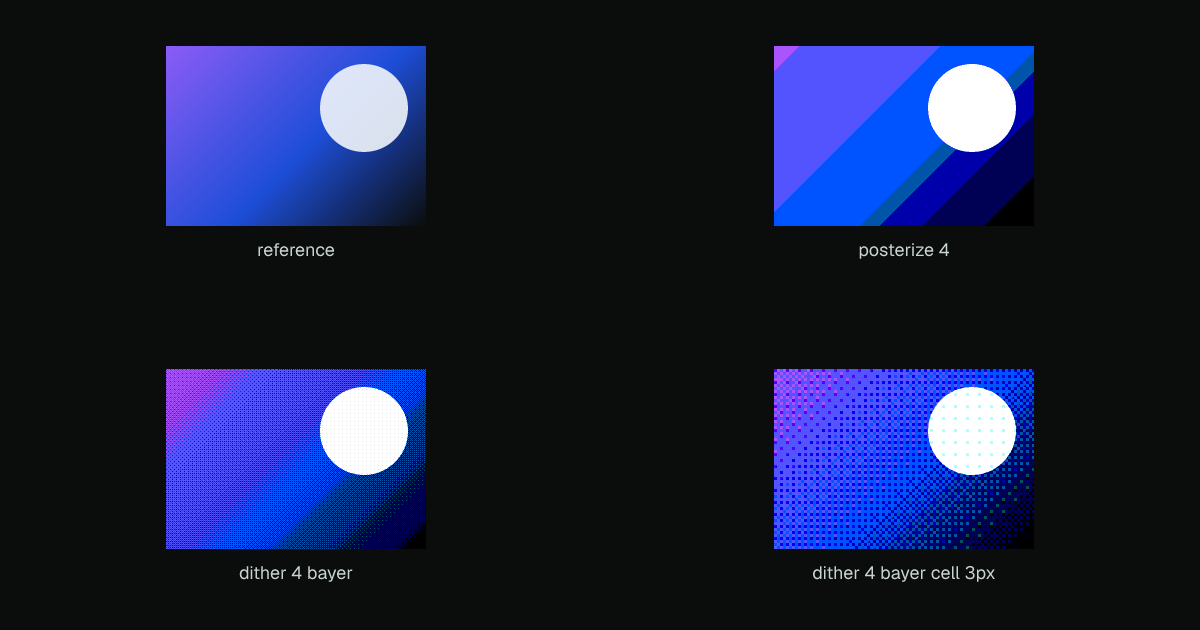
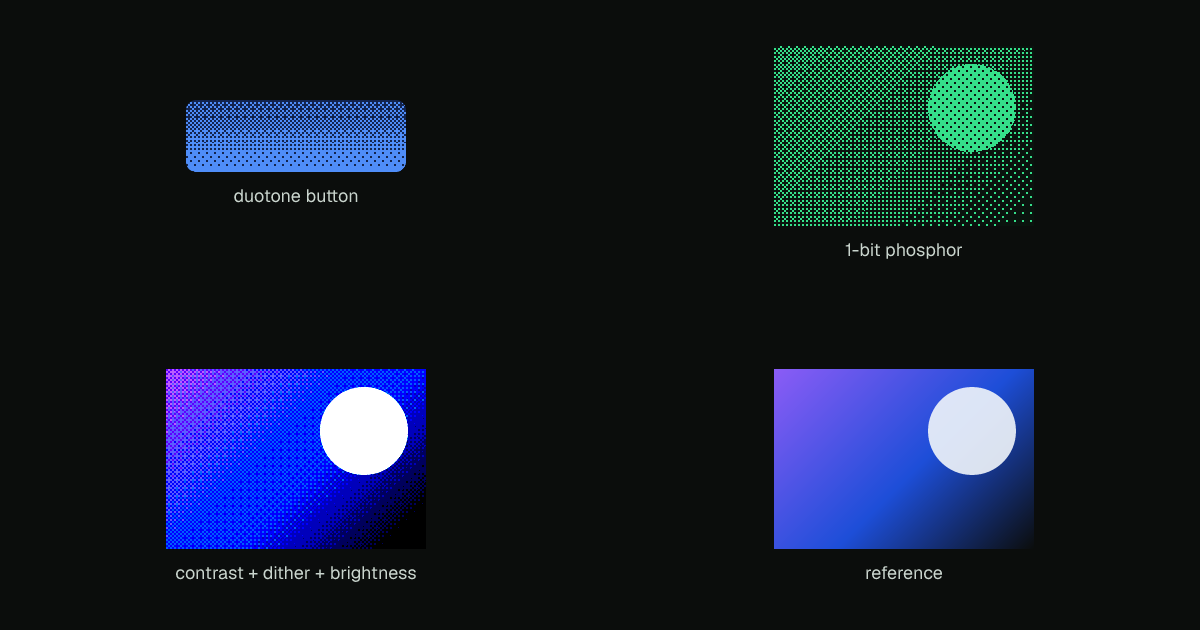
To remove banding from smooth gradients, set the dithering render option. It dithers gradient fills as they paint. See Dithering.
Last updated on